
Explore Affinity,
the revolutionary free creative software that combines photo editing, vector design, and publishing tools for professionals and hobbyists alike.
In the dynamic realm of digital design, innovative solutions continue to emerge, reshaping how artists and professionals craft their visions. One such standout is Affinity, a platform that integrates advanced capabilities for image manipulation, illustration, and document layout into a cohesive environment. This evolution from individual applications to a single, no-cost offering as of October 2025 signifies a major advancement, making high-end tools accessible to a broader audience without recurring fees.
The origins trace back to Serif, a British firm dedicated to cost-effective design solutions. They initially released separate programs: one for photography, another for vectors, and a third for publishing. These gained popularity for their buy-once model, diverging from prevalent subscription norms. In 2024, Canva’s acquisition of Serif, exceeding a billion dollars, aimed to enhance its suite while upholding the original principles. By late 2025, this led to the consolidation into one app, freely available across Mac, Windows, and iPad platforms.
What distinguishes this software is its emphasis on intuitive usability. Rather than navigating multiple programs, users access dedicated studios: one for vectors, another for pixels, and a third for layouts. Customization options allow rearranging interfaces, blending functionalities, and storing preferences for personalized efficiency. This adaptability suits various roles, from independent illustrators creating emblems to image experts refining shots. The system’s optimization ensures swift operations and real-time feedback, guaranteeing outputs match expectations.
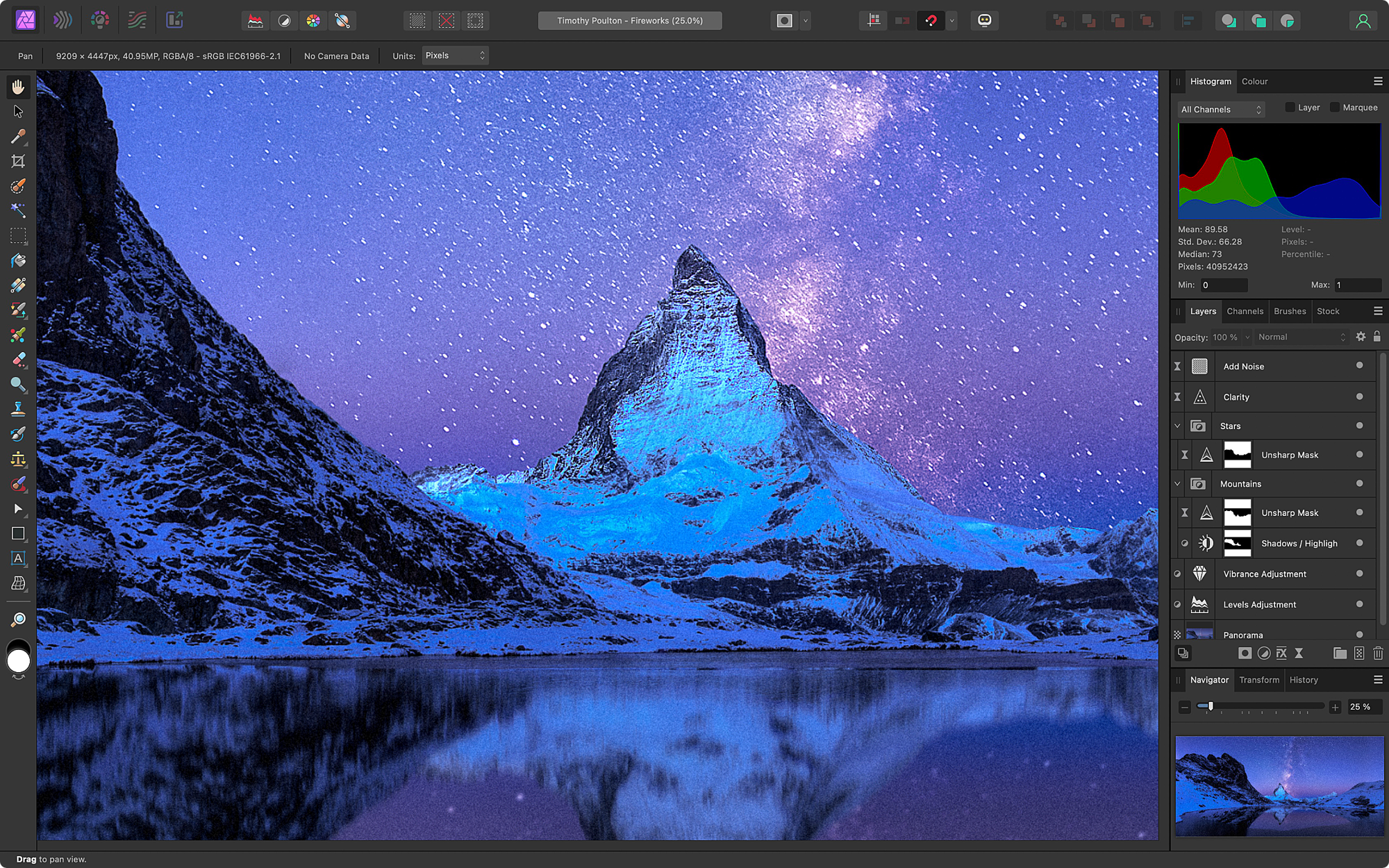
Examining the pixel-based studio, it excels in image enhancement. It supports non-altering RAW development, permitting adjustments to light, hues, and intricacies while preserving originals. Features like distortion modes enable precise reshaping, suitable for composites or fine corrections. Users can layer modifications, effects, and concealments, all reversible. Automation through batches and scripts streamlines workflows for extensive tasks. The retouching arsenal impresses with seamless complexion refinement, spot elimination, and layer separation methods comparable to pricier options.

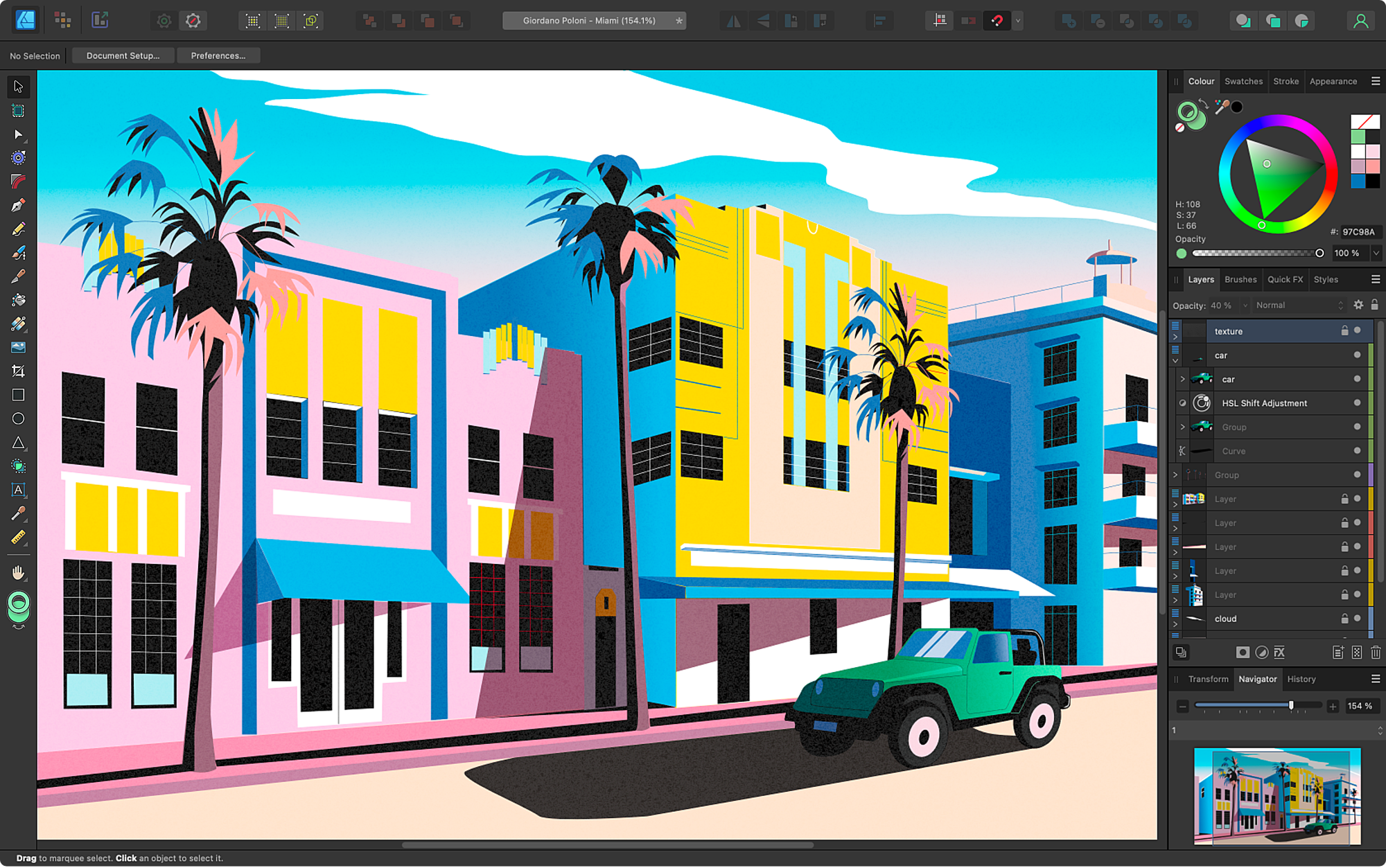
Shifting to the vector studio, it thrives in graphic and drawing tasks. The curve tool offers meticulous control with alignment and modification aids for intricate forms. A shape combiner merges elements swiftly, while gradient applications add dimension. A notable function converts bitmap graphics to modifiable paths rapidly, ideal for emblems or resizing without degradation. It accommodates dynamic typefaces and sophisticated text handling, ensuring visuals are both appealing and accurate. For icons, diagrams, or complete artworks, these instruments provide exactness and expandability.

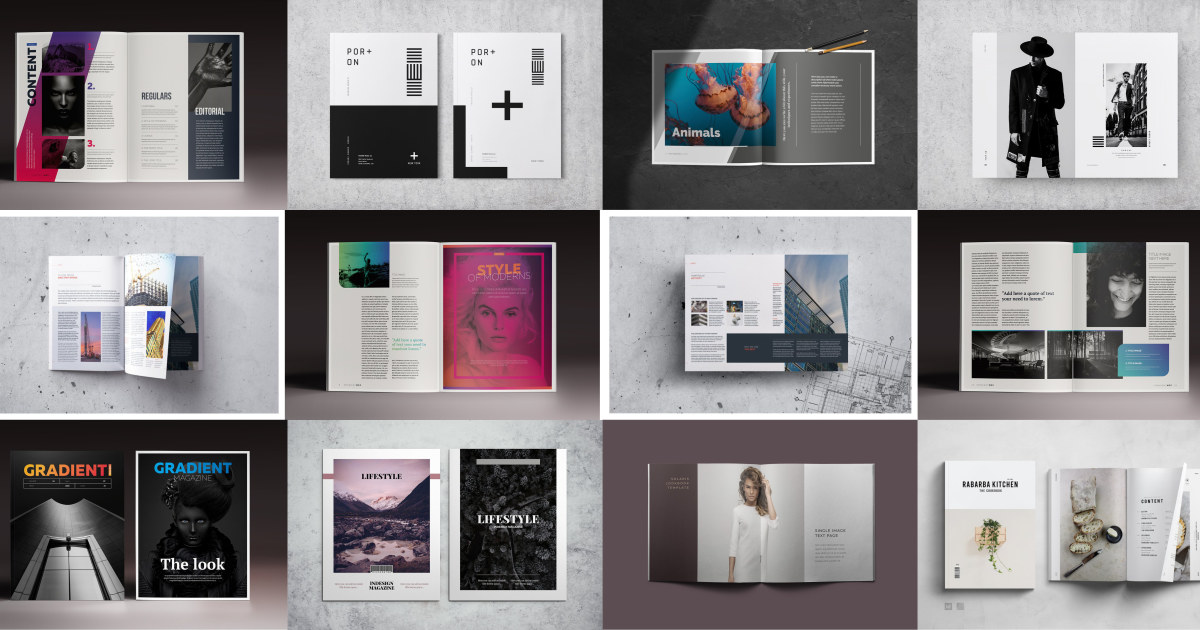
In publishing, the layout studio manages diverse projects from pamphlets to volumes. Intelligent templates maintain uniformity, with automatic content placement for text and visuals. It includes grid systems, alignment baselines, and data integration from external sources. Text controls encompass spacing, line height, connections, and extended font compatibility. For production, it generates print-prepared documents with margin extensions, validation checks, and specialized export formats. This suits independent authors, promoters, or firms crafting premium content.
The 2025 refresh has transformed accessibility. Once requiring purchases, the core suite is now unrestricted, eliminating barriers to essential functions and outputs. This approach broadens reach, benefiting enthusiasts, learners, and experts alike. Integration with Canva introduces enhanced capabilities for subscribers, such as content generation, element isolation, and automated visuals or paths. These augment processes while prioritizing data security—no user materials train models, and local storage remains protected.
When juxtaposed with rivals like Adobe’s offerings, strengths emerge. Adobe provides interconnected services but demands continuous payments, potentially totaling substantial sums yearly. In contrast, this tool matches in effects, brushes, and outputs gratis, with superior efficiency on standard equipment. Feedback often commends its streamlined nature and quicker initiation. Yet, Adobe leads in collaborative clouds and extensive add-ons. Evaluations from outlets like TechRadar and PetaPixel underscore its worth, dubbing it a viable substitute for solos. Community discussions on platforms like Reddit reveal transitions to Affinity, highlighting user-friendly navigation and reversible edits as pivotal.
Advantages for users surpass mere functions. It cultivates collaboration via shared configurations and guides on its portal. File interoperability with common formats facilitates smooth shifts, retaining structures. For instructors, the no-fee structure equips sessions economically. Specialists value reliability—it operates efficiently on modern processors, managing voluminous data stably. Looking ahead, commitments to updates include mobile expansions, enhancing portability.
Affinity promotes unrestricted innovation. Absent feature locks, experimentation flourishes, yielding novel outputs. Artists blend modes for mixed media, while creators use integrations for tailored promotions. Precision focus ensures versatility across digital, print, or online mediums, with color fidelity in various profiles.
Drawbacks include limited ties to asset repositories or motion features, though countered by internal organization and flexible saves. Adaptation may take effort for switchers, but abundant online resources from videos to in-depth lessons assist.
Ultimately, Affinity embodies inclusive artistry. By fusing robust instruments into a complimentary, integrated solution, it dismantles obstacles and motivates creation. For photo tweaks, vector crafts, or publication setups, it yields pro-level results effortlessly. With ongoing developments, it remains a leader in design. Interested parties can acquire it from the official Affinity website and uncover its capabilities—imaginative liberty beckons. For more details on features and tutorials, check out Affinity’s learning resources or read reviews on sites like The Verge and Creative Bloq.