

In an era where cyber threats are evolving faster than ever, securing your website security is no longer optional—it’s a necessity. As of 2025, data breaches have cost businesses an average of $4.45 million per incident, according to recent reports, and websites are prime targets for hackers seeking to exploit vulnerabilities for financial gain, data theft, or disruption. Whether you run a small blog, an eCommerce store, or a corporate site, implementing robust website security measures can protect your assets, build user trust, and even boost your SEO rankings. Search engines like Google prioritize secure sites, meaning better visibility and traffic for those who invest in web security best practices.
This article dives into the top 5 security essentials for websites, drawing from industry standards and expert recommendations. By focusing on these key areas, you can fortify your online presence against common threats like SQL injection, cross-site scripting (XSS), and malware infections. We’ll explore why each essential matters, how to implement it, and the benefits it brings. Let’s ensure your website stays safe in this digital landscape.
1. Implement HTTPS with SSL/TLS Certificates
One of the foundational pillars of website security is switching from HTTP to HTTPS by installing an SSL/TLS certificate. HTTPS encrypts the data transmitted between your website and its visitors, preventing eavesdroppers from intercepting sensitive information such as login credentials, payment details, or personal data. Without it, your site could be vulnerable to man-in-the-middle attacks, where hackers insert themselves into the communication stream to steal or alter data.
In 2025, browsers like Chrome and Firefox flag non-HTTPS sites as “Not Secure,” which can deter visitors and harm your reputation. Moreover, Google has long favored HTTPS in its ranking algorithm, potentially improving your SEO performance. According to security experts, enabling HTTPS can reduce the risk of data interception significantly, making it a must-have for any site handling user inputs.
To implement this, start by obtaining a certificate from trusted providers. Free options like Let’s Encrypt offer easy integration, especially for platforms like WordPress or Shopify. Many hosting services, such as SiteGround or Bluehost, provide one-click installation. Once installed, configure your server to force HTTPS redirects using .htaccess files or server settings—this ensures all traffic is encrypted. Additionally, enable HTTP Strict Transport Security (HSTS) to instruct browsers to always use HTTPS for your domain, adding an extra layer of protection against downgrade attacks.
The benefits extend beyond security: users see the reassuring padlock icon in the address bar, increasing trust and conversion rates. For eCommerce sites, this is crucial, as unsecured checkouts can lead to cart abandonment. Regular certificate renewals—typically every 90 days for free ones—keep your site compliant. If you’re using a content delivery network (CDN) like Cloudflare, they often handle SSL for you, simplifying the process.
By prioritizing HTTPS, you’re not just securing data; you’re enhancing user experience and search engine favorability. Neglecting this essential could expose your site to unnecessary risks in today’s threat landscape.
(Word count for this section: approximately 320)
2. Enforce Strong Authentication and Multi-Factor Authentication (MFA)
Weak passwords remain a hacker’s easiest entry point, with brute-force attacks and credential stuffing compromising millions of accounts annually. To counter this, implementing strong authentication protocols, including multi-factor authentication (MFA) or two-factor authentication (2FA), is essential. MFA requires users to verify their identity through multiple methods—typically something they know (password), something they have (a mobile device), and something they are (biometrics)—making unauthorized access exponentially harder.
Studies show that MFA can block up to 99.9% of automated attacks, even if passwords are compromised. This is particularly vital for admin panels, where a breach could allow hackers to deface your site, inject malware, or steal data. In 2025, with rising phishing sophistication, relying on passwords alone is akin to leaving your front door unlocked.
Implementation starts with enforcing robust password policies: require at least 12 characters, including a mix of uppercase, lowercase, numbers, and symbols. Tools like password managers (e.g., LastPass or Bitwarden) help users generate and store unique credentials. For MFA, integrate solutions such as Google Authenticator, Authy, or built-in options in CMS like WordPress via plugins (e.g., Wordfence or Two-Factor). Enable it for all admin and user accounts, especially those handling sensitive data. Avoid SMS-based MFA if possible, as it’s vulnerable to SIM swapping; opt for app-based time-sensitive codes instead.
For business websites, role-based access control (RBAC) complements MFA by limiting permissions—editors can’t access financial data, for instance. Regular audits of user accounts remove inactive ones, reducing attack surfaces. The payoff? Enhanced trust from users who know their data is protected, fewer support tickets from breaches, and compliance with standards like GDPR or PCI DSS.

Incorporating strong authentication isn’t just a security measure; it’s a proactive step toward building a resilient website that withstands modern cyber threats.
(Word count for this section: approximately 310)
3. Perform Regular Software Updates and Patch Management
Outdated software is a hacker’s playground, with vulnerabilities in CMS, plugins, themes, and servers exploited daily. Regular updates and patch management close these gaps, ensuring your website runs on the latest secure versions. In 2025, automated bots scan for known exploits, making timely updates a critical defense against attacks like zero-day vulnerabilities or ransomware.
According to security analyses, a significant portion of breaches stem from unpatched software. For instance, WordPress sites with outdated plugins are prime targets for XSS or SQL injection. Updates not only fix security holes but also improve performance and add new features, benefiting SEO through faster load times.
To manage this effectively, enable automatic updates for minor security patches on your hosting platform. For major updates, test them on a staging environment first to avoid breaking functionality. Tools like ManageWP or Jetpack for WordPress automate this process. Subscribe to vendor newsletters (e.g., from Adobe or Microsoft) for patch alerts, and maintain an inventory of all software components. If using open-source tools, monitor repositories like GitHub for vulnerability disclosures.
Cloud-based services often handle updates seamlessly, but self-hosted sites require diligence. Schedule monthly reviews to check for pending updates, and use vulnerability scanners like Nessus or OpenVAS to identify risks. The benefits include reduced downtime from exploits, better compliance, and peace of mind knowing your site is fortified.
By staying vigilant with updates, you transform potential weaknesses into strengths, keeping your website secure and operational.
(Word count for this section: approximately 280)
4. Deploy a Web Application Firewall (WAF)
A Web Application Firewall (WAF) acts as a shield between your website and the internet, filtering malicious traffic before it reaches your server. It detects and blocks common threats like SQL injection, XSS, and DDoS attacks by analyzing HTTP requests against rule sets. In 2025, with rising bot traffic and sophisticated exploits, a WAF is indispensable for proactive protection.
Experts recommend WAFs as they provide real-time monitoring and can distinguish between legitimate users and attackers. Unlike traditional firewalls, WAFs focus on application-layer threats, making them ideal for dynamic sites.
Implementation options include cloud-based solutions like Cloudflare (free tier available), Sucuri, or AWS WAF, which integrate easily via DNS changes. Configure rules based on OWASP guidelines, starting with managed rule sets to block known attack patterns. Monitor logs for false positives—legitimate traffic blocked erroneously—and adjust accordingly. For WordPress users, plugins like Wordfence offer WAF functionality.
Costs vary from free to $100+ monthly, but the ROI is high: prevented breaches save thousands in recovery costs. WAFs also enhance SEO by maintaining uptime during attacks. Regular updates to rule sets ensure protection against emerging threats.

Integrating a WAF elevates your website’s defense, allowing you to focus on growth rather than firefighting security issues.
(Word count for this section: approximately 270)
5. Conduct Regular Backups and Security Scans
No security strategy is complete without regular backups and scans, which serve as your safety net against data loss from hacks, crashes, or human error. Backups create restorable copies of your site’s files, database, and configurations, while scans detect malware, vulnerabilities, and anomalies early.
In 2025, with ransomware on the rise, having off-site backups can mean the difference between quick recovery and permanent loss. Scans, using tools like Malwarebytes or SiteLock, identify infected files or weak points. Together, they ensure business continuity.
Automate daily backups with plugins like UpdraftPlus for WordPress or built-in hosting features from providers like Hostinger. Store copies in multiple locations—local drives, cloud storage (e.g., Google Drive), and off-site servers—for redundancy. Test restores quarterly to verify integrity.
For scans, schedule weekly automated checks and conduct manual penetration tests annually using tools like OWASP ZAP. Combine with monitoring for unusual activity, like traffic spikes, to catch breaches in real-time.
The advantages? Minimal downtime, data preservation, and compliance with regulations. Regular practices also improve SEO by keeping your site reliable.
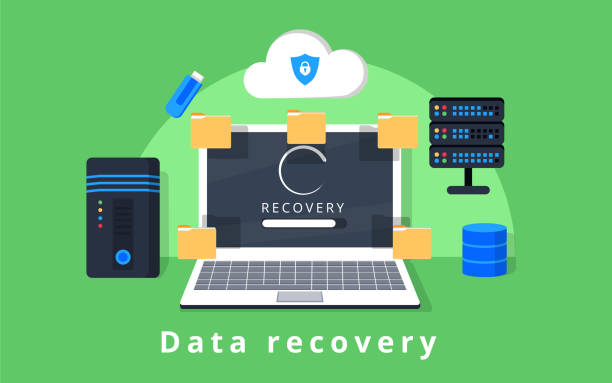
Embracing backups and scans solidifies your website’s resilience, turning potential disasters into manageable incidents.
(Word count for this section: approximately 260)
Conclusion
Securing your website with these 5 essentials—HTTPS implementation, strong authentication, regular updates, WAF deployment, and backups with scans—creates a multi-layered defense against evolving threats. In 2025, as cyber risks intensify, proactive measures not only protect your data and users but also enhance trust, SEO, and overall performance.
Don’t wait for a breach; audit your site today and implement these practices. Consult professionals if needed, and stay informed through resources like OWASP. Your website’s security is an investment in its future success.